Enter workout load
The LOAD field accepts a weight directly, a calculation, or a barbell or dip-belt setup. The number you see in the set row is the load that will be logged. Return to Log a workout for the rest of the set.
Enter a number or do the maths
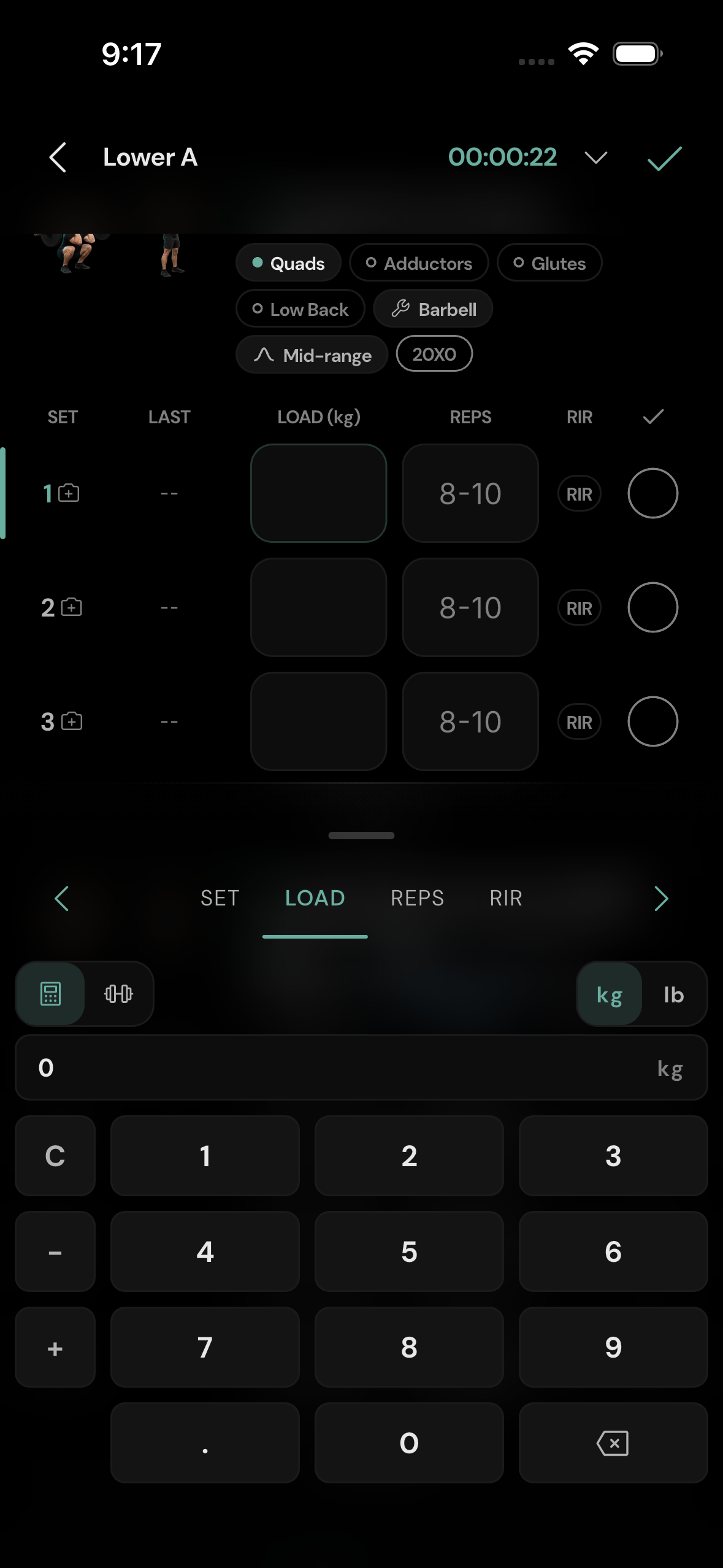
Tap a set's LOAD cell. The keypad can take a plain number or an expression with + and −. For example, enter 60 + 2.5 and the display shows 62.5 kg. You do not need to calculate it in your head or press a separate equals button: the result updates in the set row. C clears the expression and the backspace key removes the last input. Tap the forward chevron to move to REPS.
The kg/lb switch on the pad controls the units shown for that entry. The exercise menu can switch the whole exercise to the other unit. Avoid treating a number in kg as the same number in lb; use the unit control so the app converts it. See exercise controls.
Use the barbell plate view
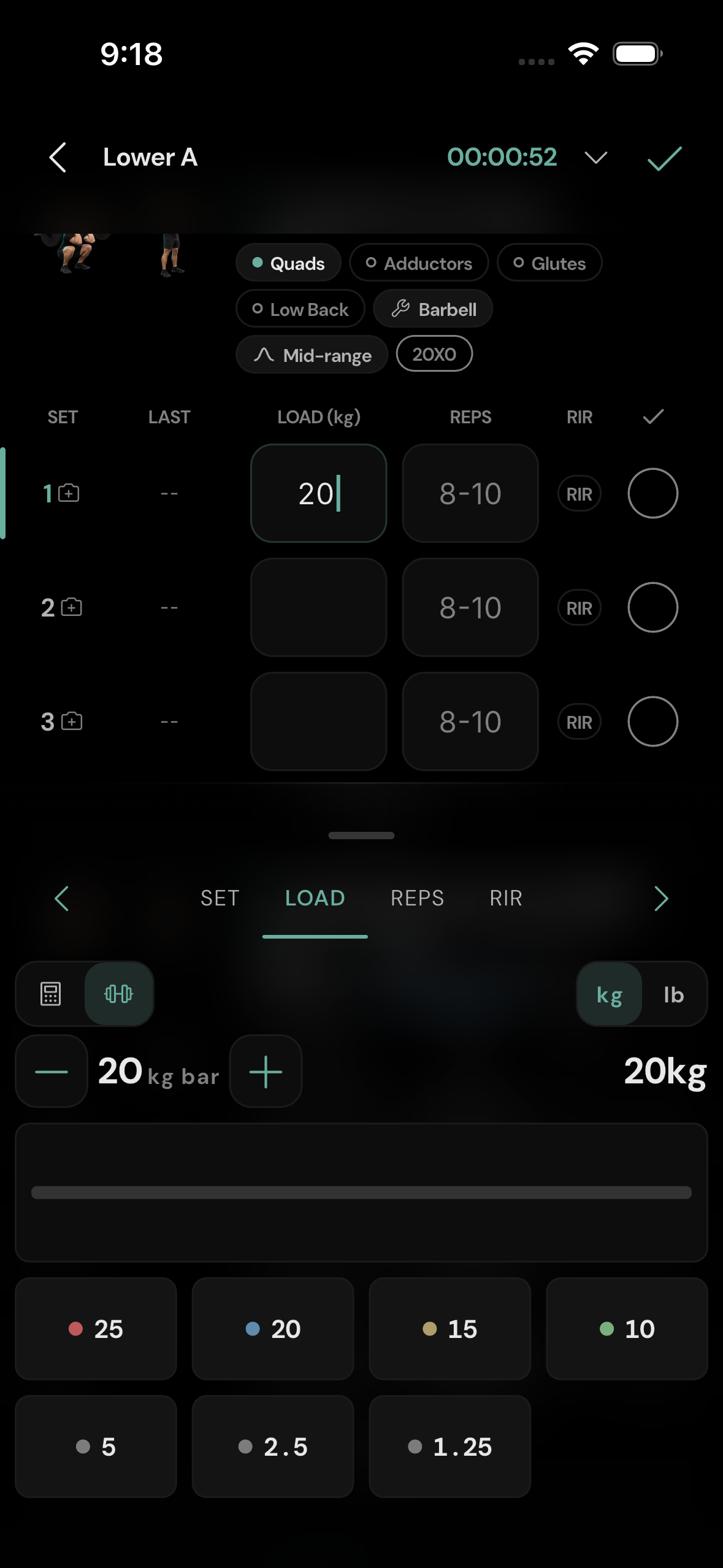
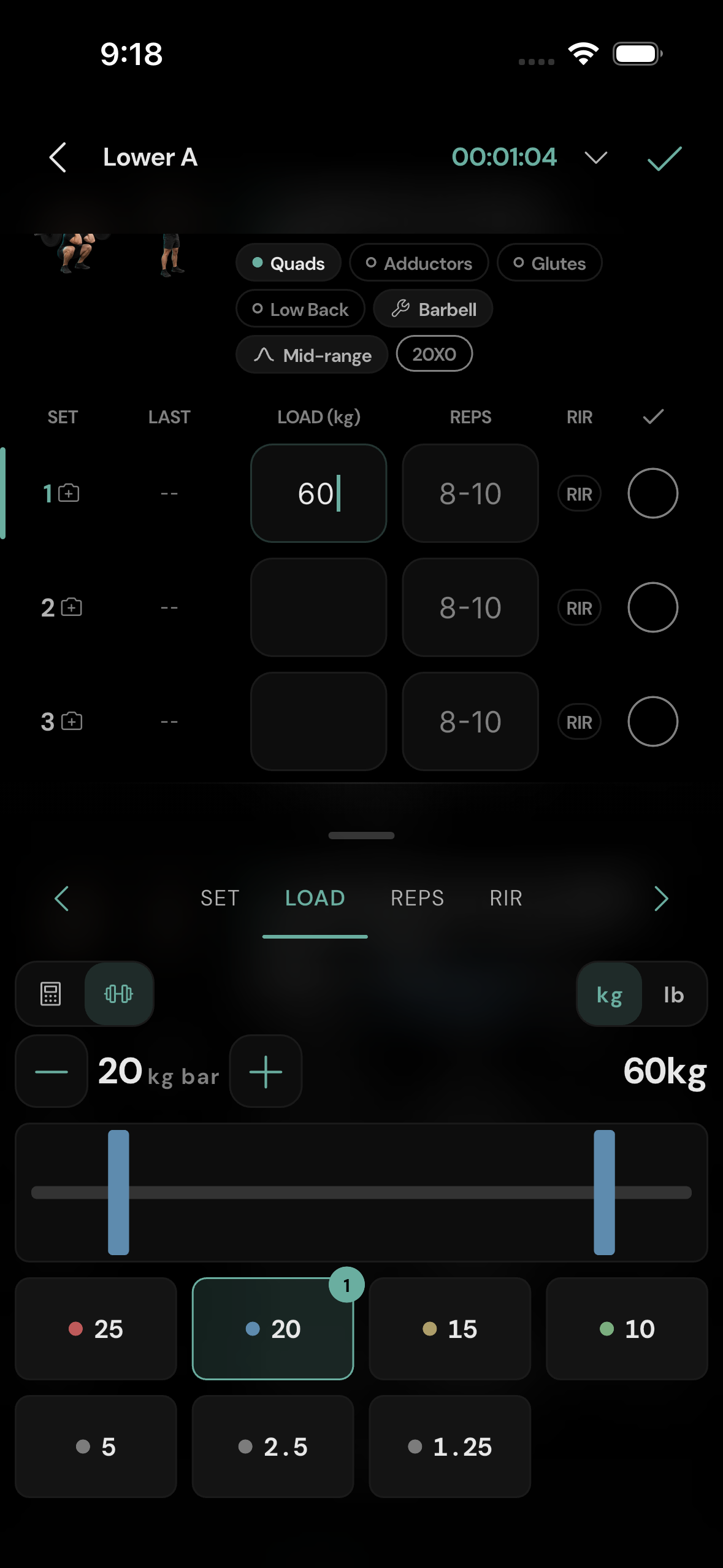
On a loaded exercise, tap the barbell icon at the top of the load pad. The bar starts with its configured weight, shown as BAR; tap that value to change it when your equipment differs. Tap a plate denomination to add one plate on each side. The total is the bar plus both sides. For example, a 20 kg bar and one 20 kg plate per side is 60 kg. Tap a plate on the bar to remove it; the controls also allow removing a denomination. The set's LOAD value updates immediately. Switch back to the keypad if you want to enter an exact total instead.
The plate choices depend on kg or lb. A kg plate selection is not silently converted into a different lb plate setup when you switch units; check the bar and plates after a unit change.
Log bodyweight, added weight, or assistance
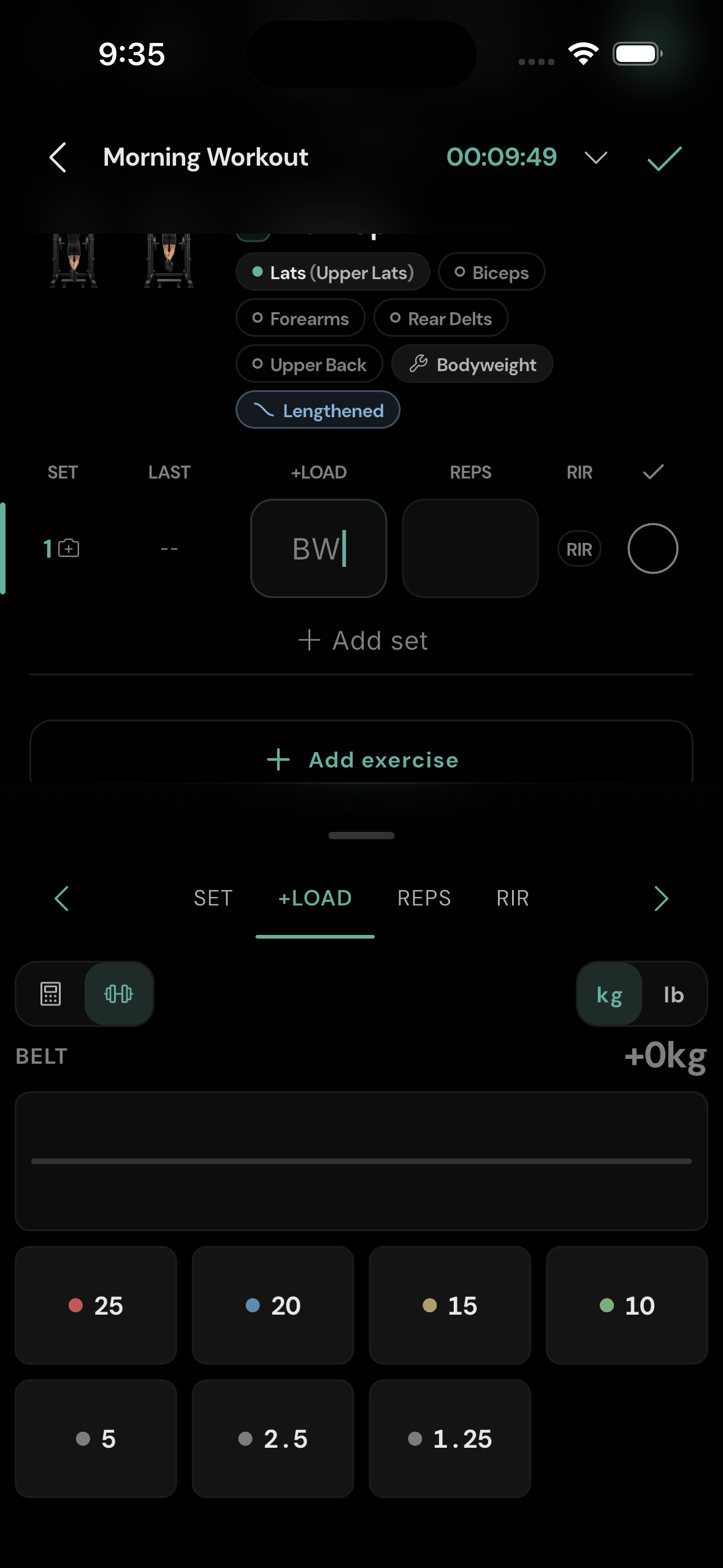
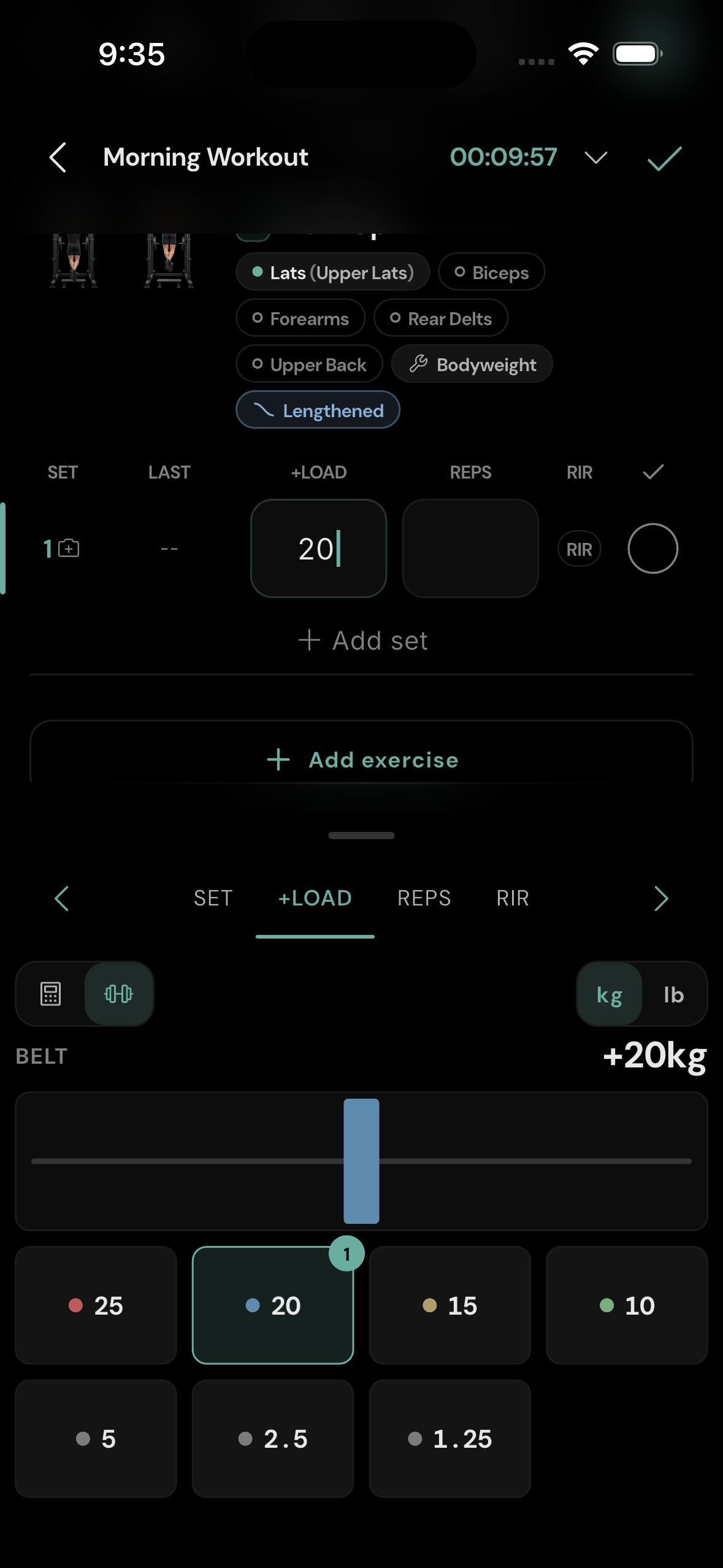
For a bodyweight exercise, the load is a change from bodyweight. With no extra load, leave it at bodyweight. A positive value means added weight; a negative value means assistance. The second load-pad view is a dip-belt chain rather than a barbell. Each plate tap adds one plate to the chain, not a matching pair. Use the keypad for a precise positive or negative adjustment. The displayed total uses your recorded bodyweight when one is available.
Use last time as a starting point
The LAST column displays the previous comparable set in the current unit. Tap it to fill the current row. If you already entered values, the app asks for another confirming tap before overwriting them. Adjust the copied load and reps for what you actually do today.