Get started with RESISTX
There are two ways to start RESISTX. Both give new subscribers 14 days free, and both end with the same app on your phone.
Choose how to start
Choose a plan, create your RESISTX account and start your free trial here. Then download the app and sign in with the same account. Your subscription is already there, and you manage it on this website.
Download RESISTX, create your account and start your free trial in the app. The App Store or Google Play bills you and shows the price in your currency.
Start on the website
- Open the pricing page and choose yearly or monthly.
- Create your account with Apple, Google or your email address. Remember which one you used: you sign in to the app the same way.
- Enter your card. Nothing is charged until the trial ends, and you can cancel any time before then.
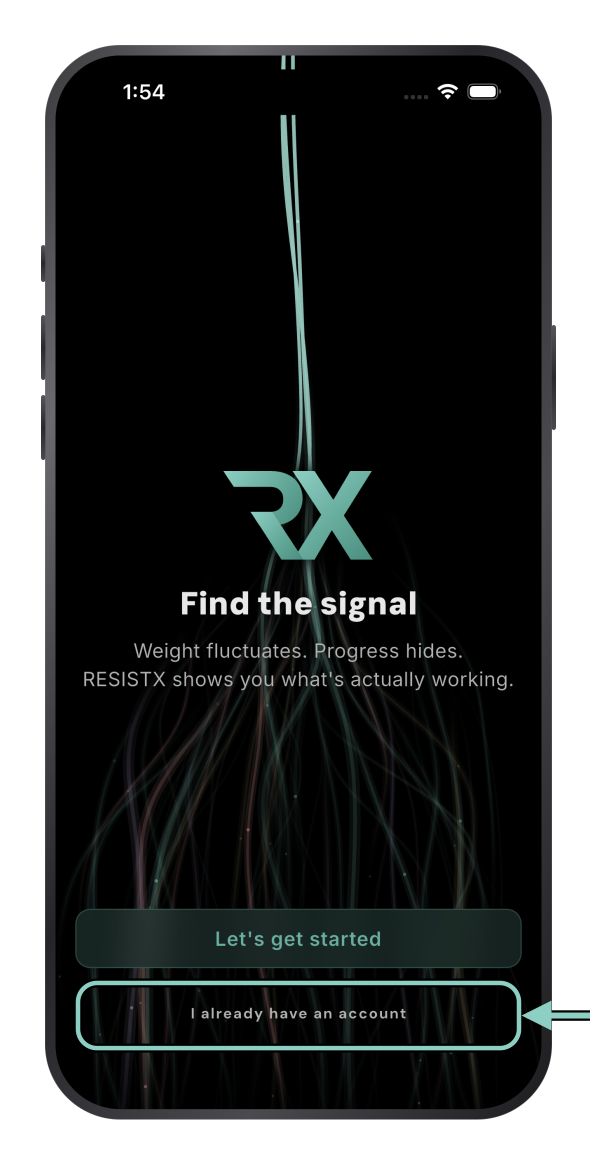
- Download RESISTX, tap I already have an account and sign in the same way. See Unlock the app after subscribing on the website.
Download the app
- iPhone: App Store, iOS 16 or later. The Apple Watch app installs alongside it (watchOS 10 or later).
- Android: Google Play, Android 8.0 or later.

On a computer, open resistx.com/app and scan the QR code with your phone’s camera.
Create your account or sign in
Open RESISTX. If you already have a RESISTX account, including one you made on this website, tap I already have an account. If you are new and starting in the app, tap Let’s get started.
You can sign in with Apple, with Google or with your email address. With email, we send you a sign-in link; open it on the same phone.
Use the same option each time you sign in. If you choose Hide My Email with Apple, your account uses an Apple relay address, so signing in later with Google or another email address creates a separate account.
Set up your profile
Setup asks for what RESISTX needs to calculate your targets: your goal, body weight and height, units and training experience. You can change any of it later in Settings.
You can import training history from Hevy, Strong, FitNotes, Fitbod, Jefit or Alpha Progression during setup, or later from Settings → Import data.
If you start in the app
The App Store or Google Play shows the price in your currency, confirms whether your account is eligible for the trial and shows the renewal date before you confirm. Cancel at least 24 hours before the trial ends to avoid the first charge. See Manage or cancel your subscription.
Free trial and refunds
New subscribers get 14 days free, and nothing is charged until the trial ends. On this website you can cancel any time before it ends. If you started your trial in the app, cancel through the App Store or Google Play before the deadline they show: the App Store needs at least 24 hours’ notice.
The free trial is your time to decide, so we don't offer refunds for change of mind once a paid period has started. This doesn't affect your rights under the Australian Consumer Law or any other law that applies to you.
If you subscribed through the App Store or Google Play, refunds are handled by Apple or Google under their policies.
Already subscribed on the website?
Do not subscribe again in the app. Tap I already have an account and sign in the same way you did at checkout. Your subscription is linked to your account and unlocks the app automatically. See Unlock the app after subscribing on the website.