Choose offline or online food search
Food search can use a catalogue kept on your phone or search online. The on-device option lets you search without a connection. The online-only option uses less phone storage and needs a connection for catalogue results. Return to Search or scan food for the logging flow.
Check the catalogue status
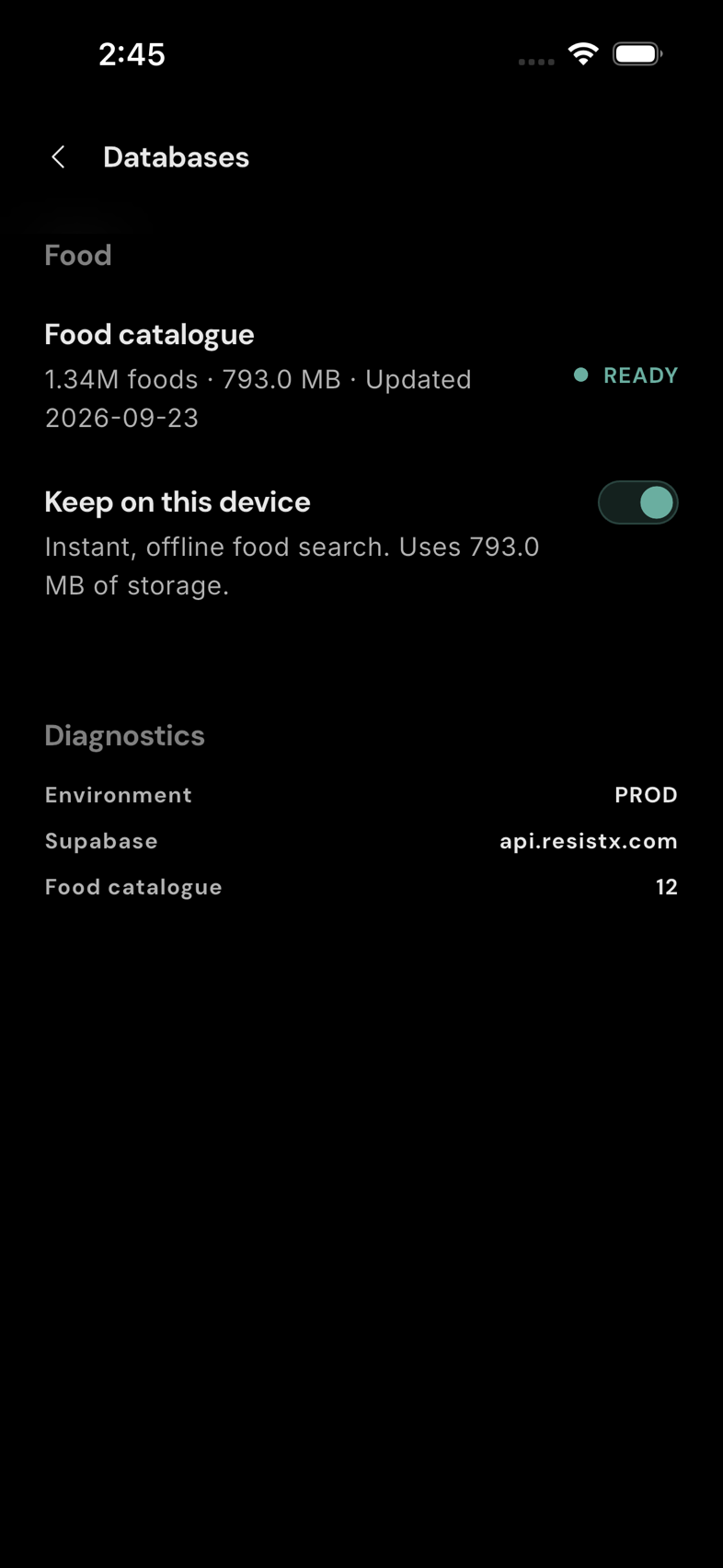
Open Settings → Databases. Under Food, the Food catalogue row shows whether the catalogue is ready, downloading, or online only. If a download is in progress, wait for it to finish before relying on offline search.
Keep the catalogue on your device
Turn on Keep on this device to download and retain the food catalogue for offline search. The row shows its storage use when available. Search can still use online results while a download is being prepared.
Use online-only search
Turn off Keep on this device. Confirm Remove when asked; this removes the downloaded catalogue from this phone. Your logged diary entries, custom foods, and recipes are not removed by this choice. Catalogue search then needs a connection. You can turn the switch back on later to download the catalogue again.