We are confirming the membership linked to your RESISTX account.
FOUNDING MEMBER
MEMBER SINCE
NO.
01
Get your app invitation.
Tell me which phone you use and where to send the invitation. The short form captures everything I need to set up your access while store review finishes.
I process invitations manually, so please allow some time after submitting. Your installation instructions will come by email.
Already submitted the form? You're all set. There is no need to submit it again.
Open your membership in the app.
Once your app invitation arrives and RESISTX is installed, follow these two steps to open your membership. You already have an account and do not need to purchase again.
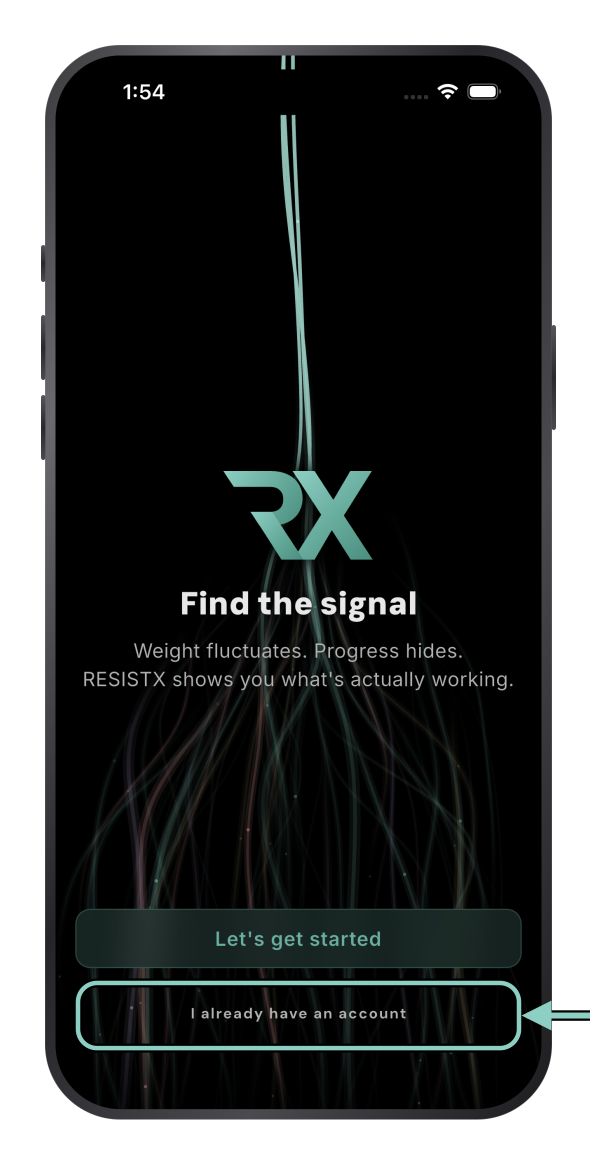
1. Tap “I already have an account”.
On the opening screen, choose the highlighted link.
2. Sign in.
We couldn’t load your account’s sign-in instructions. Refresh this page or email [email protected] for help.
02
Meet the other founders.
Join the private RESISTX community on Skool. Share progress, compare notes and help shape what gets built next. The pinned Start Here post keeps your setup links and support options in one place.
Request access to the community using your preferred email address. We review requests manually and will grant access as soon as possible. If your Skool email differs from your purchase email, email [email protected] with both the email you used to purchase and the email you want to use for Skool.
Your founding benefits continue when the app reaches the stores. We will share the download instructions when it is ready. You will not need another app subscription.
If you completed payment, check for your receipt and make sure you are using the same RESISTX account as before checkout. Please don't purchase again to fix this.
Still stuck? Email [email protected] with your checkout email and receipt so we can help.